Transfer MIKE 1D data to SWMM tool
It is possible to transfer model data from MIKE 1D Collection System tables to SWMM tables. That means that Collection System data used in the working mode 'Rivers, collection system and overland flows' are converted to data for use in the working mode 'SWMM5 collection system and overland flows'. This tool is accessed from the 'CS network' tab in the ribbon, under the 'Special tools' button.
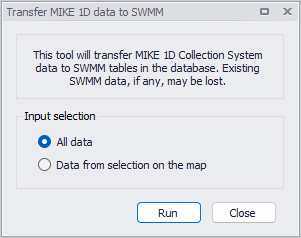
Figure: Transferring data from MIKE 1D to SWMM
Two options are also available to control which data are being transferred:
- All data
- Data from selection on the map: for this option, only the MIKE 1D data being selected when the tool is executed are transferred. This requires that the active working mode is 'Rivers, collection system and overland flows' in order to select the MIKE 1D data. If the active mode is 'SWMM5 collection system and overland flows', this option is therefore unavailable. Note that this will transfer all selected data, even though some are actually not displayed on the map (e.g. curves and relations data).
The following statements apply during this data conversion:
- Both node types 'Basin' and 'Soakaway' are converted to 'Storage unit' type. Node types 'Junction' and 'River junction' are not supported in SWMM and are not transferred.
- ‘Initial depth' in SWMM nodes is always set to 0, regardless of the actual initial condition defined in the MIKE 1D simulation.
- 'Ponded area' in SWMM nodes is computed assuming that 'Node cover expansion coefficient' = 1000 in the 'MIKE 1D engine configuration' settings.
- Links with type 'Natural channel' are not transferred, because they use a varying cross section along the link, which is not supported by SWMM.
- Orifices with geometry type 'Generic shape' are not supported by SWMM, and are converted to rectangular orifices with dimensions undefined.
- Weirs with formula 'Weir formula' are transferred with all their attributes, however weirs with other formulae ('Energy loss coefficient', 'Q-H' and 'Weir formula, custom shape') are transferred with an undefined weir coefficient: they must be reviewed and defined manually.
- Weir crest levels in MIKE 1D are converted to crest height in SWMM, relative to the invert level of the 'From node' of the weir.
- Only the 'Generic shapes' with type 'X-Z Open' and 'X-Z-R-M Open' are transferred to SWMM, while the others are not supported and skipped.
- From the list of 'Curves and relations', only the following types of curves are transferred:
- Capacity Curve QH: converted to curve type 'Pump curve 2 (Depth-Flow)'. Note that values are transferred unchanged, and should be converted manually afterwards to convert absolute values of H (levels) used by MIKE 1D to heights relative to the manhole invert, as used by SWMM.
- Capacity Curve QdH: converted to curve type 'Pump curve 3 (Head-Flow)'
- Basin Geometry: converted to curve type 'Storage'.
- If multiple connections are defined for a catchment in MIKE 1D, only the first one will be transferred in SWMM, and it will be transferred like a 'Standard' connection accepting all runoff.
- Hydrological parameters are taken from the 'Kinematic wave' hydrological model (impervious steep, impervious flat and pervious medium values).
- Boundary conditions are not transferred.