Coverage
Define Land Use cover percentages for Catchments on the SWMM Coverage editor. The editor organizes land use coverage data into following groups:
- Identification: Holds item ID information. Use the Insert or Delete buttons to add or remove records from the editor, respectively.
- Connectivity: Define the land use and catchment components for the coverage setup.
- Landuse Coverage: Specify the size covered by the land use in the catchment.
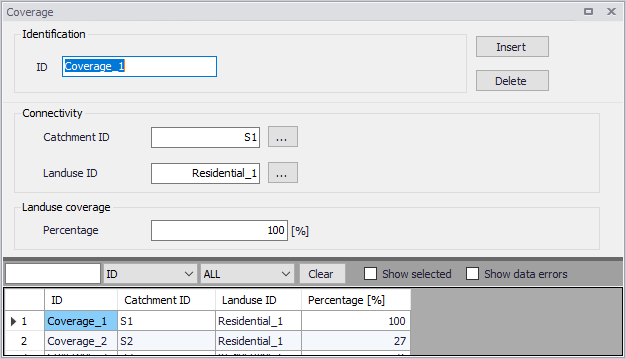
Figure: The SWMM Coverage editor
| Edit field | Description | Used or required by simulations | Field name in datastructure |
|---|---|---|---|
| ID | Coverage setup ID | Yes | MUID |
| Catchment ID | ID of Catchment | Yes | SubCatchID |
| Landuse ID | Landuse item ID (see Land Uses editor) | Yes | LandUseID |
| Percentage | Percentage of the catchment area covered by this type of land use | Yes | Percentage |
Table: Edit fields in the Coverage editor (mss_Coverage)