General Settings
Through the Project Setup View General Settings menu it is possible to set general properties in the MIKE+ project.
Within the ‘Model type’ editor, the user can:
- Switch from one mode to the other i.e. Water Distribution or Collection systems
- Change the unit system as discussed in section Selecting an Appropriate Unit Environment
- Select additional modules to be made visible in the Setup View for editing, display related tools in the interface ribbon and Map View, and run the model with these modules. E.g. for collection systems modelling this could include rainfall runoff, water quality, etc. Or for water distribution modelling this could include fire flow analysis, pipe criticality etc.
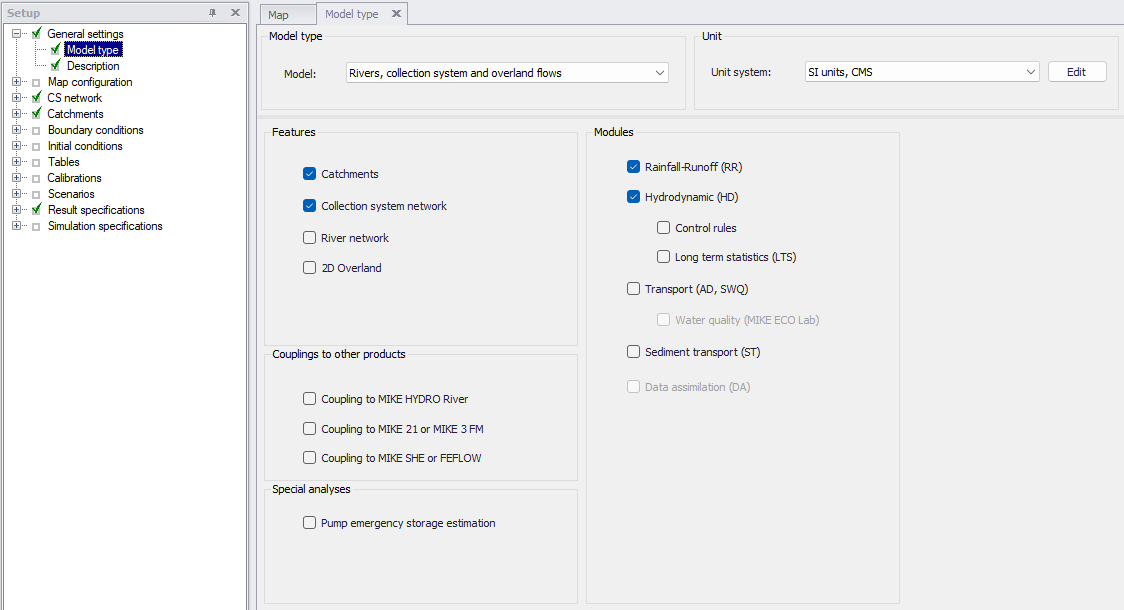
Figure: General Settings – Model type dialog in MIKE+
In general settings, it is also possible to add a description of the model details. The empty field can be used to provide a detailed description of the model including its purpose, how the model is schematised, limitations, etc.
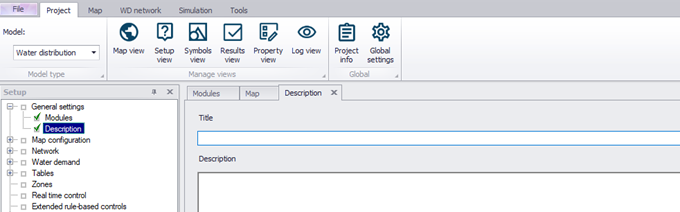
Figure: General Settings – Description dialog in MIKE+