Import/Export Toolbar
Several operations are accessible through Import/Export toolbar.

Figure: The toolbar
Reload Source
This functionality updates the contents of the source storage cache. It secures that the specified Import/Export configuration operates on the latest source data available.
Clear
This functionality clears any configuration contents for the Import/Export tool.
Save
This functionality saves the import configuration for later reuse. The configuration may be saved to a file (.xml) for later reuse (by loading the saved .xml file). This is very useful for supporting repetitive import/export operations.
The import/export configuration files include all jobs present in the tool at the time of file saving. I.e. individual jobs cannot be saved separately. The tool does not support consecutive loading of multiple configuration files. i.e. when a configuration file is loaded, any current contents in the tool is cleared.
Combining job configurations from two or more configuration files in one file (e.g. to achieve automatic sequential execution) can be done by editing (copy/paste) the configuration file in a simple text editor (e.g. Notepad). All information related to one job is found between the keywords \<JobSerializationEntity> (beginning of one job configuration) and \</JobSerializationEntity> (end of one job configuration).
Verify
The "Verify" function checks for syntax errors, missing data, etc. The configuration will only run if no errors are reported by the verification function.
However, syntactic correctness is only a necessary condition, but is not enough to ensure that the result of the specified import will be correct.
"Verify" may issue several warnings. Warnings are typically related to missing data. The presence of warning does not affect the execution of the import configuration.
By clicking on the 'Warning log' or 'Error log' message a text file is opened and enumerates all warning or error issues.
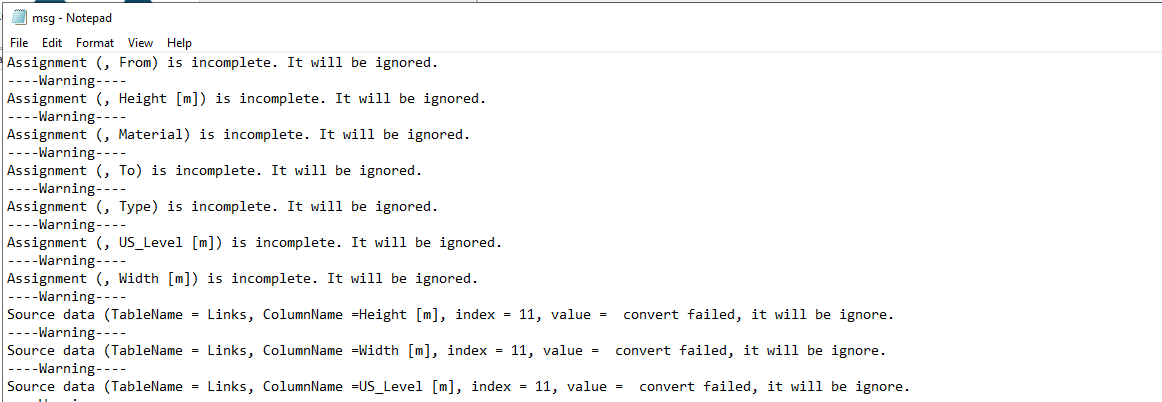
Figure: Warning log or Error log message in the import/export configuration
Run
This functionality executes the Import/Export configuration. Upon verifying the specified configuration, the Import/Export job is executed by pressing the "Run" button.