Workflow
Modelling of SWQ is summarised through description of a workflow.
At the outset, it is assumed that a functional MIKE+ model including one or more catchments is available.
Prepare layered catchments (optional)
If the analysis includes various types of surfaces, and if the catchments delineation does not reflect the surface types, the original sub-catchments shall be cloned into layers. All layers of catchments shall be connected to the network identically. Drainage area for all catchments representing one physical catchment shall be specified. The sum of the drainage area for a catchment must be equal to the full contributing catchment area.
Specify rainfall boundary
A rainfall boundary condition series shall be specified. A single rainfall time series may be associated with all catchments in the model, or the rainfall can be spatially distributed by specifying multiple rain gauges or RADAR rainfall data.
Specify WQ components and sediment fractions
To be included in SWQ computation, any WQ component and/or sediment fraction must be defined in respective editors (WQ Components editor or Sediment Fractions editor, respectively).
Activate SWQ module
To enable the Stormwater Runoff WQ (SWQ) module, activate the Catchment feature, and the Rainfall-Runoff (RR) and Transport (AD, SWQ) modules (in the ‘General Settings | Model type’ editor). This will provide access to all relevant editors.
Consider appropriate SWQ method
As shown in SWQ boundary condition types table, the applicability of the SWQ methods depends on the runoff component, i.e. choice of the runoff model.
Also, not all of the available SWQ methods are applicable to all types of pollutants/sediments. E.g. external pollutants are best simulated by mass-conservative methods (i.e. Methods 3 and 4).
Review Global SWQ parameters
If one of the advanced SWQ methods is to be applied, review and adjust SWQ global parameters (in the SWQ Global Data editor).
Specify SWQ parameters sets
If one of the advanced SWQ methods is to be applied in the SWQ computation for any of the pollutants or sediment fractions, SWQ parameter sets must be specified for such pollutants or sediment fractions.
Note
Several parameter sets may be specified for any pollutant or sediment fraction - each for one type of catchment surface.
Specify SWQ boundary conditions
For each type of catchment surface and for each runoff component, a separate boundary condition can be specified as one of the two available SWQ boundary types. Association of the boundary condition with model sub-catchments representing a specific type of surface is achieved by specifying appropriate selection list.
Specify SWQ boundary WQ properties
For each of the specified SWQ boundary conditions, a number of WQ properties can be specified. Normally, one WQ property is defined for each pollutant (or sediment fraction) assumed to be present on the actual catchment surface type and in the actual runoff component. For details, refer to Section WQ Boundary Properties for SWQ.
Set up a runoff simulation with SWQ
The SWQ setup is included in the runoff simulation simply by ticking the Storm Water Quality (SWQ) checkbox in the General tab of the Simulation Setup editor.
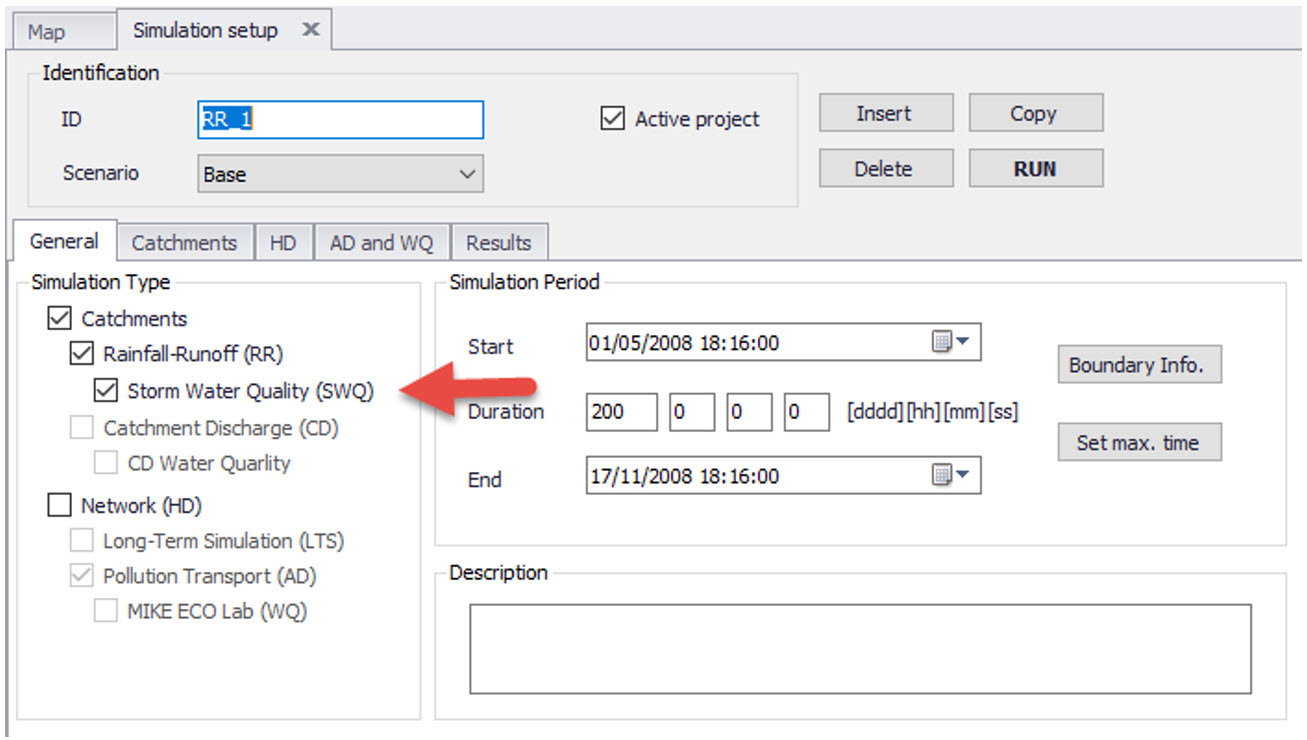
Figure: Example simulation setup for a model including Rainfall-Runoff and SWQ. Note that SWQ can only run in association with a Rainfall-Runoff simulation.
MIKE+ will automatically include relevant output files. The Default output files can be replaced or complemented by user-specified output files.
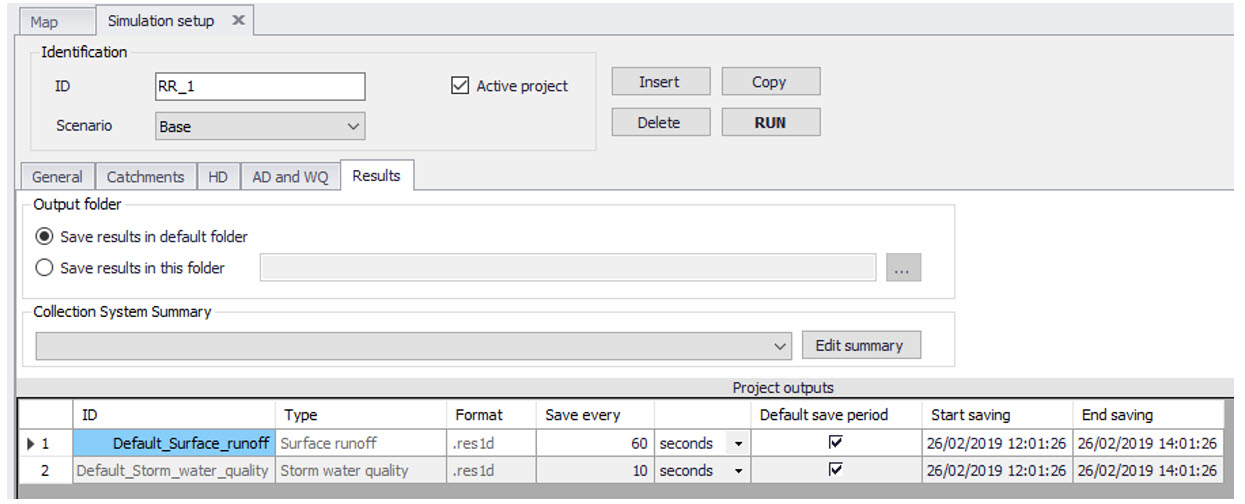
Figure: Default output is automatically provided by the system