Curves and Relations
In the Curves and Relations editor, a number of tabular data used in other data dialogs are specified.The following curve types are available for SWMM models:
- Storage: Defines the geometry of a Storage Unit node by describing the variation of surface area as a function of water depth
- Divider: Defines how the diverted outflow from a Flow Divider node is related to the total inflow.
- Tidal Curve: Defines how the stage at an Outfall node varies by the hour of the day.
- Rating: Relates flow through an Outlet link to the head difference across the outlet
- Control: Sets how the control setting of a pump or flow regulator varies as a function of some control variable (such as water level at a particular node) as specified in control rule. Is also used to adjust the flow from an LID unit's underdrain based on head.
- Shape: Describes how the width of a customized cross-sectional shape varies with height for a Conduit link.
- Weir: Defines how a weir discharge coefficient varies with head.
- Pump curve: Relates flow through a pump to the depth or volume at the upstream node or to the head delivered by the pump. The following types of pump curves are available:
- Pump Curve 1 (Volume-Flow): An off-line pump with a wet well where flow increases incrementally with wet well volume
- Pump Curve 2 (Depth-Flow): An in-line pump where flow increases incrementally with inlet node depth
- Pump Curve 3 (Head-Flow): An in-line pump where flow varies continuously with head difference between the inlet and outlet nodes
- Pump Curve 4 (Depth-Flow): A variable speed in-line pump where flow varies continuously with node depth
- Pump Curve 5 (Head-Flow): A variable speed version of the Type3 pump where the head versus flow curve shifts position when control rules change the pump's relative speed setting.
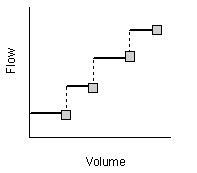
Figure: Pump Curve 1 (Volume-Flow)
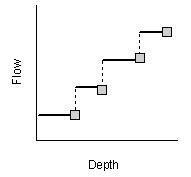
Figure: Pump Curve 2 (Depth-Flow)
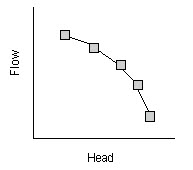
Figure: Pump Curve 3 (Head-Flow)
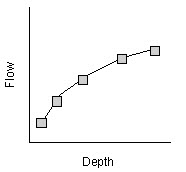
Figure: Pump Curve 4 (Depth-Flow)
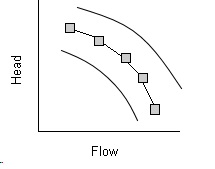
Figure: Pump Curve 5 (Head-Flow)
The Tabular Data (Curves) editor organizes the related input data into the following groups:
- Identification: General identification and type information.
- Curve Values: Secondary table containing tabular data values.
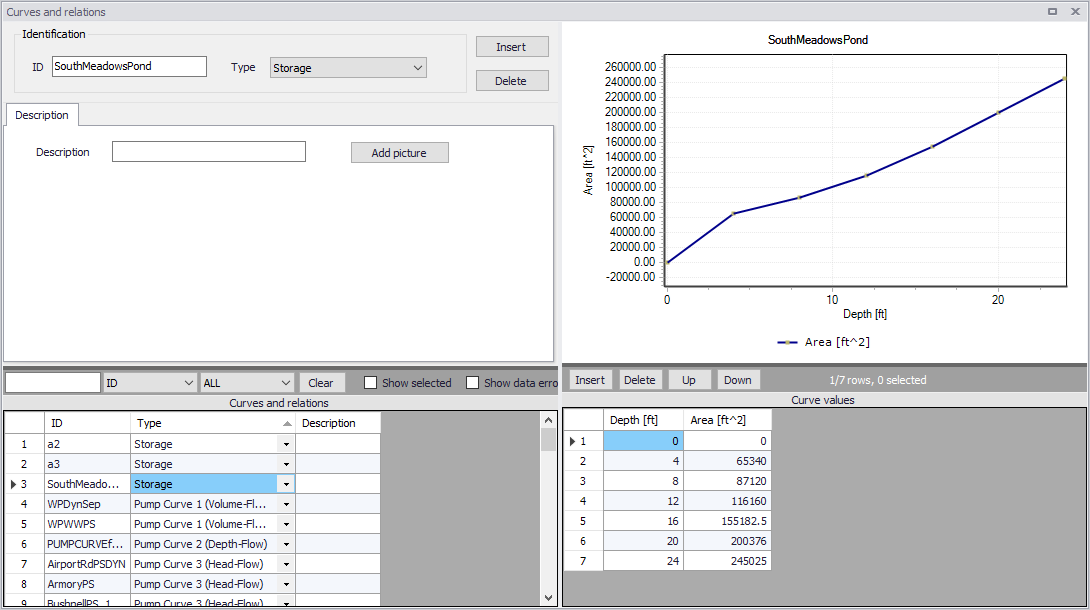
Figure: The SWMM Curves and Relations editor
Identification
The identification groupbox holds curve ID and Type information.

Figure: The Identification groupbox
Use the Insert or Delete buttons to add or remove records from the editor, respectively. Records are added to the primary table on the lower left corner of the editor.
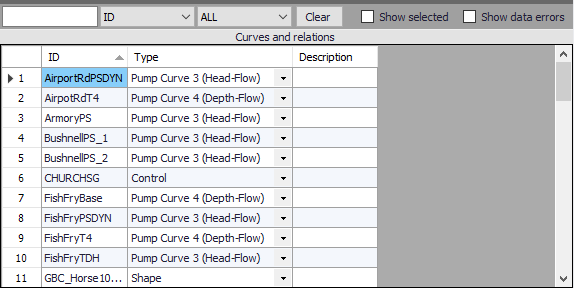
Figure: Primary table with the Curves and Relations list on the lower left side of the Curves and Relations editor
| Edit field | Description | Used or required by simulations | Field name in datastructure |
|---|---|---|---|
| ID | Curve ID | Yes | MUID |
| Type | Type of curve | Yes | TypeNo |
| Description | User's descriptive information on the curve | No | Description |
Table: Edit fields in the Curves and Relations Identification and Description groupbox
Add optional descriptive information for a curve on the Description tab. An option for adding an images is also available.
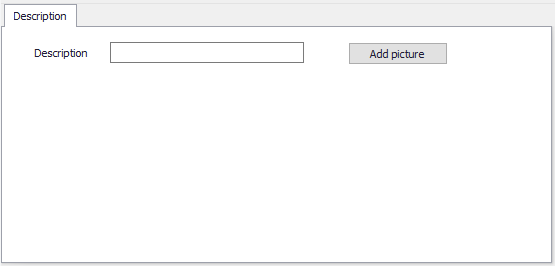
Figure: The Description tab
Curve Values
After inserting a new tabular data item, define the corresponding data values under the Curve Values table (i.e. secondary table to the right of primary table). Secondary table parameters/columns that should be filled vary depending on the curve and relation type.
A plot of the tabular data is also shown on the upper right corner of the editor.
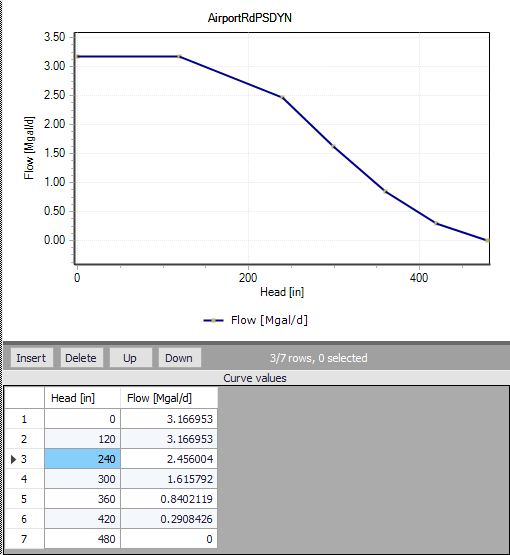
Figure: Secondary table containing Curves Values on the lower right side of the Curves and Relations editor. Also shown is the tabular data plot above the secondary Curve Values table.
| Edit field | Description | Used or required by simulations | Field name in datastructure |
|---|---|---|---|
| ‘Value1’ | Value1, dependent on Type of curve (Depth, Inflow, Hour, Volume, Head) | Yes | Value1 |
| ‘Value2’ | Value2, dependent on Type of curve (Area, Outflow, Stage, Flow) | Yes | Value2 |
Table: Edit fields in the Curve Values secondary table (mss_Tab)