Sequential Labelling Tool
When an overland flow path or other network is digitized, it is often useful to provide IDs that are descriptive and logical. The IDs can be made up by street name, type of network, sub-catchment identifier, etc. and the sequential labelling tool can automatically achieve this. The sequential labelling tool is located in the ribbon of the tool tab.
A format for the automatic IDs can be specified for selected nodes or links in the map. A label prefix and suffix may be given together with sequential numbering parameters.
Only selected items of the chosen Map layer (nodes or links) will be given new IDs.
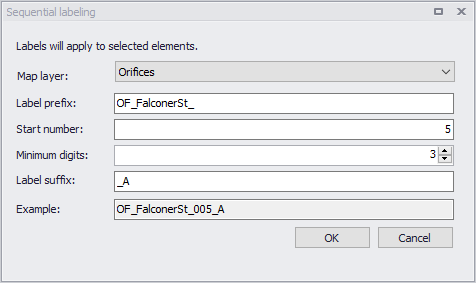
Figure: Sequential Labelling tool
Note
Applying the tool with a PostgreSQL database from a distant server may be significantly slower than when working with a local database. This is an expected behaviour, and happens when the updated IDs trigger additional updates in other editors (e.g to update connection information for all connected features), hence requiring additional communication time with the distant server.