WQ Boundary Properties for SWQ
SWQ quantities and computation methods for various pollutants associated with an SWQ Boundary Condition are specified in the WQ Boundary Properties Editor.
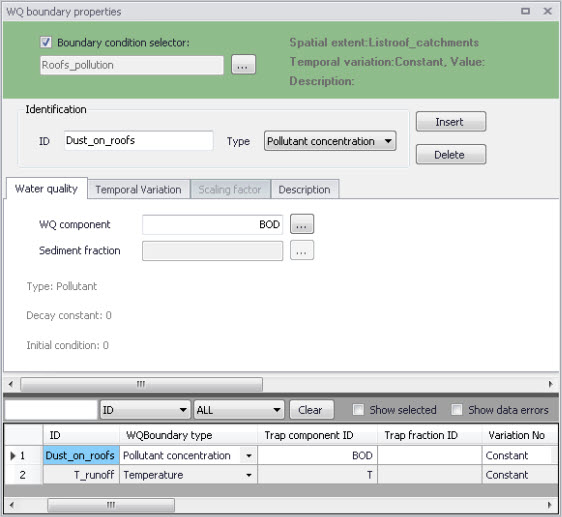
Figure: The WQ Boundary Properties editor with an example SWQ boundary water quality item (i.e. Roofs pollution with dust)
Normally, one SWQ boundary property should be specified for each pollutant included in an SWQ boundary condition.
Definition of WQ boundary properties follows the same workflow as any other WQ boundary property. For details, see descriptions under the Boundary Conditions Chapter in the manual.
In addition, WQ boundary properties for SWQ include two special types of Temporal variations:
- Table concentration (supports application of SWQ table concentration method)
- SWQ advanced (supports application of SWQ advanced methods: Build-up/Wash-off and EMC).
Definition of WQ boundary properties in the WQ Boundary Properties Editor for all SWQ methods is described in the following sections.
Boundary Condition Selector

Figure: The Boundary Condition Selector is the step in specifying WQ boundary properties for SWQ
The wanted SWQ boundary condition item to be associated with a water quality boundary property is selected in the Boundary Condition Selector on top of WQ Boundary Properties editor.
Identification

Figure: Identification information for the WQ boundary property for SWQ
After inserting a new WQ boundary property, it shall be given a proper name (identifier) and a correct (water quality) type shall be selected.
For easier identification, the property name should reflect its contents, i.e. which pollutant (or sediment) and which model area it describes.
Type is selected among available choices filtered according to currently specified WQ components.
Water Quality
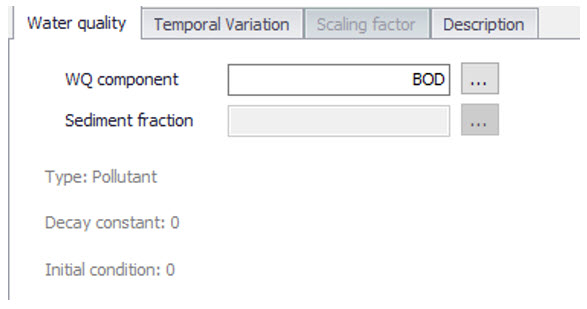
Figure: The Water Quality tab in the WQ Boundary Properties editor. Used to define pollutant component (or sediment fraction) associated with the current WQ boundary property.
Depending on the specified (water quality) type, the user selects the relevant WQ component or sediment fraction.
Temporal Variation

Figure: The Temporal Variation tab in the WQ Boundary Properties editor
In the context of SWQ, definition of temporal variation for WQ boundary property is closely connected to the choice of SWQ method, as summarized in the overview in the table below.
| Temporal Variation | SWQ Method |
|---|---|
| Method 1 (Simple concentration) | Method 2 (Table concentration) |
| Constant | Yes |
| Cyclic | - |
| Time series | Yes |
| Table concentration | - |
| SWQ advanced | - |
Table: Overview of relation between Temporal Variation and SWQ Methods
Method 1: Simple Concentration (Constant)
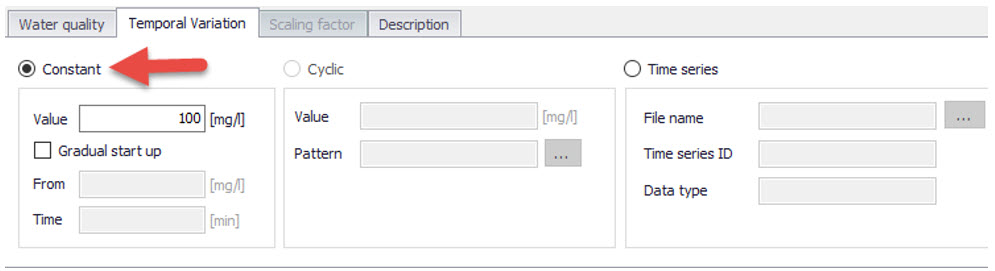
Figure: Definition of constant SWQ concentration
A constant value of any WQ component (e.g. concentration, temperature, etc.) is assigned to runoff.
Method 1: Simple Concentration (Time series)
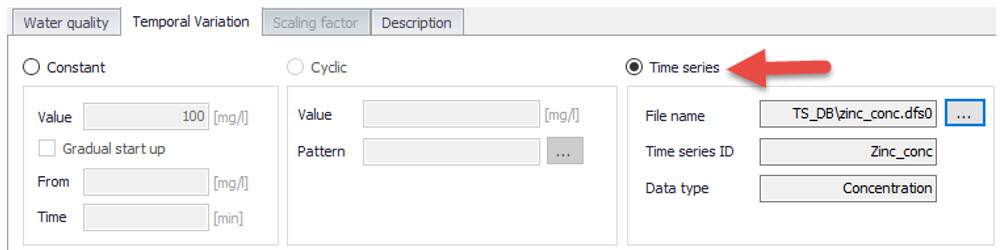
Figure: Time series of values of any property is assigned to runoff. In absence of measured data, time series typically reflect an estimate of seasonal variations.
Application of time series values for SWQ boundary properties implies knowledge or estimates of historical variations of any WQ component, e.g. in the context of a WQ model calibration.
Method 2: Table Concentration

Figure: Table Concentration applies to the SWQ Table Concentration method
A tabular function of the type Runoff pollutants is selected and associated with the WQ boundary property. It establishes a fixed relation between the runoff intensity (specific runoff) and the value of WQ component, e.g. pollutant concentration.
Methods 3 (Build-up/Wash-off) and 4 (EMC): Advanced Methods

Figure: SWQ Advanced is chosen when SWQ Method 3 (Build-up/Wash-off) or Method 4 (Event Mean Concentration) is applied
After selecting SWQ advanced, the user must choose one among previously specified SWQ parameter sets for the pollutant or sediment fraction associated with the current WQ boundary property.
The SWQ parameter sets are related to one of the two SWQ advanced methods and contain a definition of the parameters for the chosen method. The actual parameters can be looked up in the SWQ Advanced Methods editor.