Advanced Metering Infrastructure
The Advanced metering infrastructure editor
The 'Advanced metering infrastructure' editor supports automatic updating of water demands in the 'Multiple demands' editor (water consumptions) based on physical water meters (AMI) data. The purpose of this editor is therefore to relate each physical water meter (AMI) to the corresponding (multiple) node demand. This information will then be used by Water Distribution Online to automatically and periodically update the hydraulic model's water demands based on the real-time telemetry data.
New water meters are added to the list using the 'Insert' button, and selected water meters are removed using the 'Delete' button at the top of the editor.
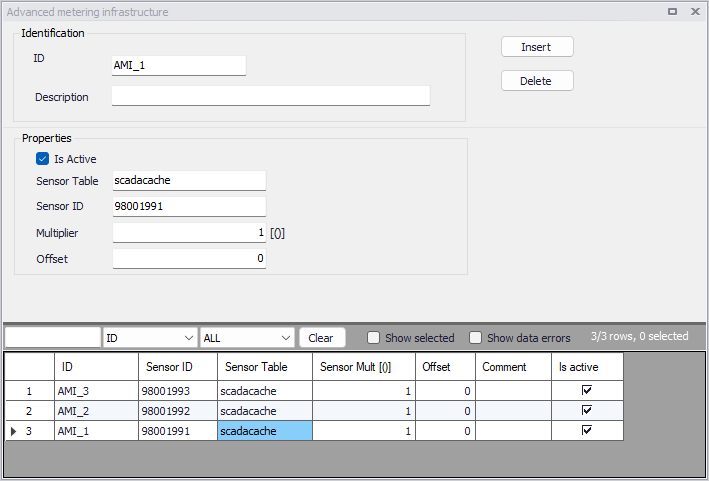
Figure: The Advanced metering infrastructure editor for the Online analysis
The editor's attributes are described below.
ID
This is the name (identification) of the AMI water meter.
Description
User-defined description of the water meter.
Is active
This check box allows to toggle the Active status of the water meter on and off. Water Distribution Online will omit all meters that are not active.
Sensor ID
This is the SCADA tag name in the table with SCADA data.
Sensor table
This is the name of the table containing SCADA data.
Multiplier
This is the multiplier "k" that will be used to multiply the SCADA value before using it in the model update. The model value = scada value * k + n.
Offset
This is the offset "n" that will be added to the SCADA value before using it in the model update. The model value = scada value * k + n.
Workflow example
In the following example, three water meters (named AMI_1, AMI_2, and AMI_3) are part of the AMI system and are linked to the demand allocation points entered in the 'Demand allocations' editor.
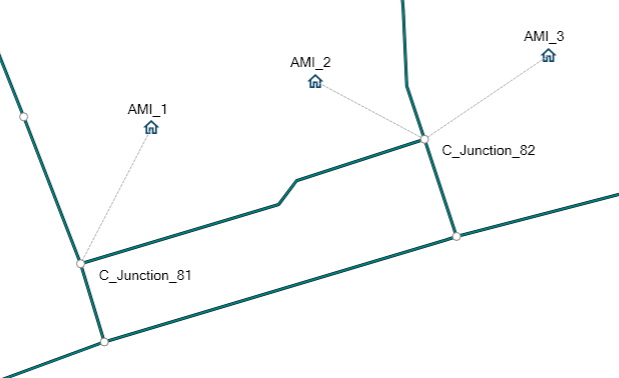
Figure: Example water demands to be associated with water meters
The three water meters are first defined in the 'Advanced metering infrastructure' editor. Each record includes the name of the SCADA table and SCADA tag.
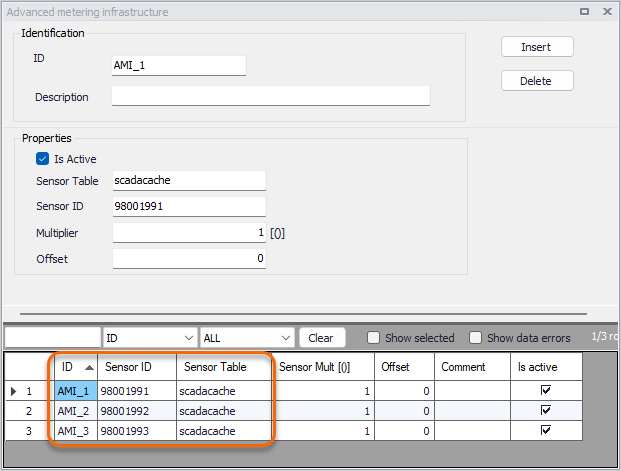
Figure: Example water meters defined in the Advanced metering infrastructure editor
Then, water meters are associated with water demands in the 'Demand allocations' editors, by linking the corresponding water demands to the water meter IDs.
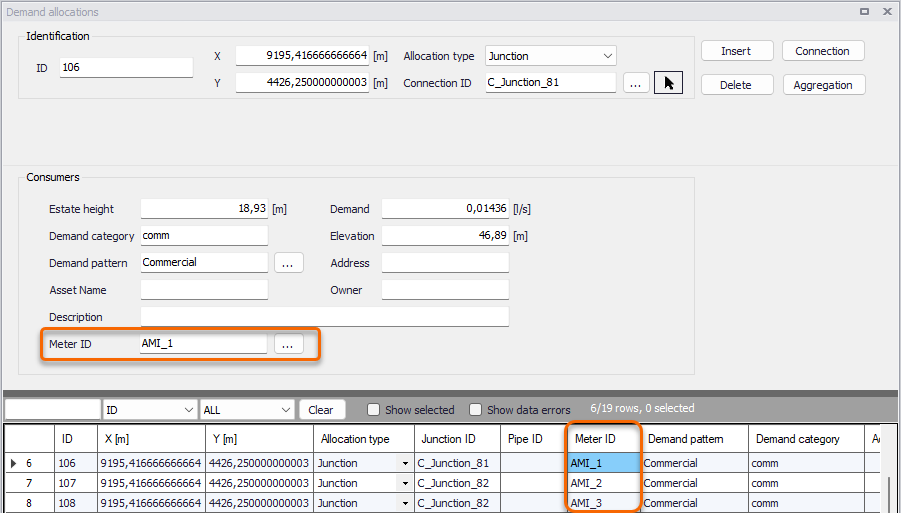
Figure: Example definition of water meter IDs in the Demand allocations editor
Finally, the Aggregation tool can be used to assign these three records to Multiple Demands, using the aggregation method 'Assign demands to multiple demands' to use a 1:1 relationship.
Note
The number of created multiple demands may differ from the number of records in the 'Advanced metering infrastructure' or 'Demand allocations' editors. This discrepancy can arise when not all demand allocation data are listed in the 'Advanced metering infrastructure', or when multiple demands incorporate additional information such as water loss due to leakage or data metered outside of the AMI system.