Repetitive Profiles
The 'Repetitive Profile Editors' can be used for generating dimensionless, cyclic time series ('repetitive profiles') with a fixed time resolution of one hour. E.g., it can be applied for defining diurnal profiles that can describe the Dry Weather Flow (DWF) from a specific catchment.An unlimited number of repetitive profiles can be applied to different groups of catchments. For example, an industrial area will have a different dry weather flow (DWF) description to rural or residential area. DWF profiling may also vary according to the time of week and holidays.
There are four discrete parts forming the repetitive profiles:
- Diurnal patterns: used for specifying diurnal patterns
- Cyclic profiles: used for coupling of individual diurnal patterns with profile calendar definition
- Profiles calendar: used for coupling of individual diurnal patterns with profiles calendar definition
- Special days: used for specifying days that are to be considered as exceptions to the calendar (e.g. the 1st of January).
Diurnal patterns
A diurnal pattern consists of the pattern ID and non-dimensional coefficients (multipliers) varying with the time of the day.
A Delta T (time step) is also required, if the time information is to be automatically distributed for the entire day with a constant interval.
The figuer below shows an example of a diurnal pattern. A new pattern is created by using the 'Insert' button. The common workflow is then to define the Delta value (minutes). The Delta value represents the interval distribution for the pattern. The 'Distribute' button creates the intervals determined by the Delta value assigned. For example, a Delta value of 60min returns 24 hourly intervals, a Delta value of 240 will return 6 x 4 hour intervals.The dimensionless coefficient is inserted under the 'Multiplier' column.
The 'Normalize' button adjusts the multiplier values so that their average value is equal to 1, but the relative weightings are maintained.
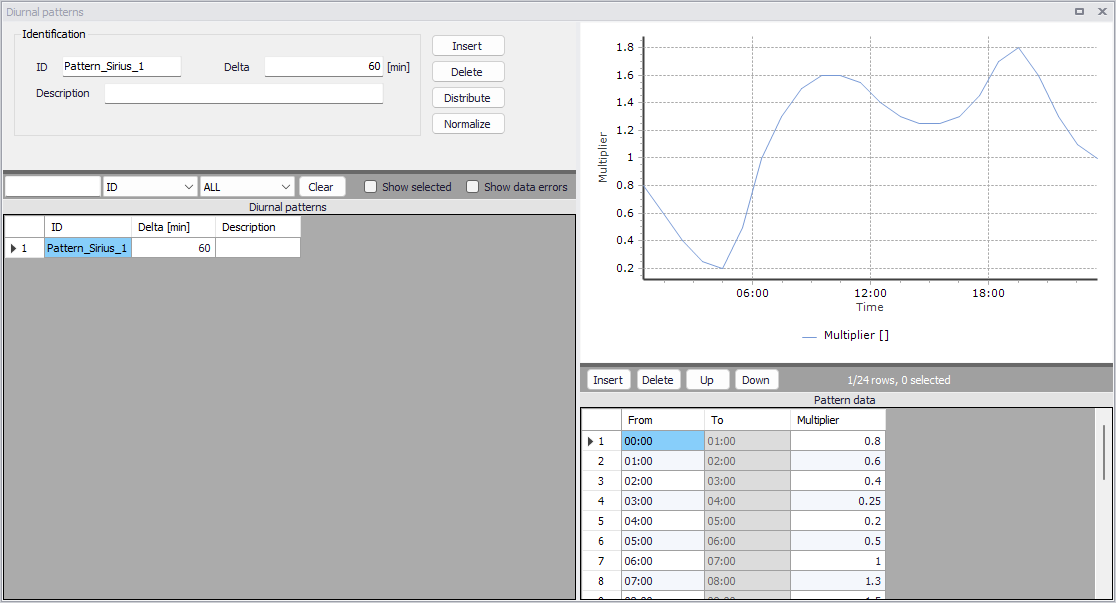
Figure: Diurnal pattern editor
Patterns times can alternatively be created or edited using the 'Insert' and 'Delete' button below the plot, instead of using the 'Distribute' button. The pattern's time steps don't necessarily have to be equidistant.
The pattern's data table shows the 'From' and 'To' time of the day relating to the corresponding multiplier. Only the 'From' time needs to be specified. The 'To' time is automatically filled with information from the next time step.
Please refer to the Cyclic profiles options for more information about how the pattern is applied in the simulation.
Cyclic profiles
A cyclic profile links a diurnal pattern with the relevant calendar definition.
Each cyclic profile requires an ID with a defined ‘Diurnal Pattern’ and ‘Calendar’. In addition, the profile requires input regarding the interpolation of the pattern, either by ‘linear interpolation’, or ‘no interpolation’. No interpolation will apply a step function between the diurnal pattern values.
The figure below shows the Cyclic Profile editor. The visualisation shows at a glance how the profile will look (monthly or weekly) with the diurnal pattern coupled to the selected profile calendar. The Cyclic Profile example shows a ‘Residential’ diurnal profile with a ‘Weekday’ profile calendar.
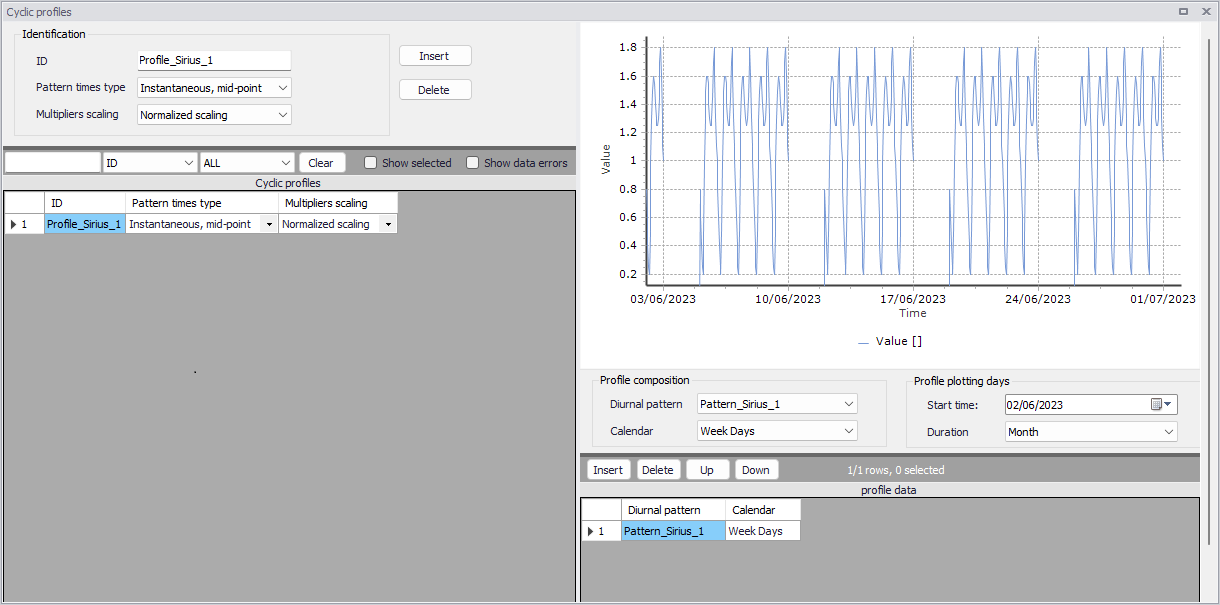
Figure: Cyclic Profile
The 'Pattern times type' controls how the pattern's multipliers apply for each of the pattern's time step:
- Step values: The multiplier in the Diurnal pattern at a given row remains constant between the 'From' and 'To' times. This leads to a stepped pattern.
- Instantaneous, mid-point: The multiplier in the Diurnal pattern at a given row is applied in the middle of the time interval for that row, and a linear interpolation applies between consecutive multipliers.
The 'Multipliers scaling' option controls whether the multipliers are scaled / adjusted during the simulation or not:
- Normalized scaling: The multipliers are rescaled, such that their average value becomes 1 over a day. Negative multipliers are not allowed in this case.
- No scaling: The multipliers are kept unchanged. Negative multipliers are allowed.
Profiles calendar
The purpose of the profiles calendar is to specify when the diurnal patterns are to be applied, e.g, only during summer, only February, only on weekdays, only on each first in the month, etc.
Profile calendars specify when the diurnal profile pattern is to be applied, and can be defined in three primary formats, Weekdays, Dates and Months.
There is scope to apply multiple calendar formats to create very specific calendar formats, if required.
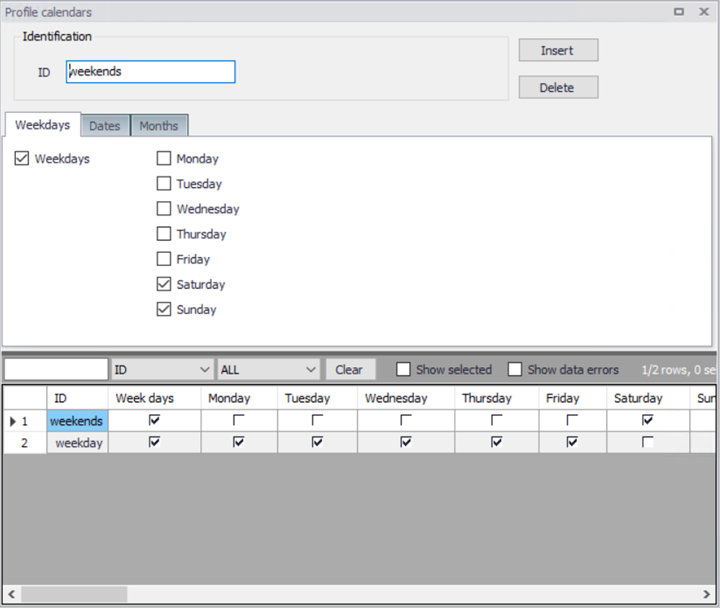
Figure: Profiles calendar weekdays
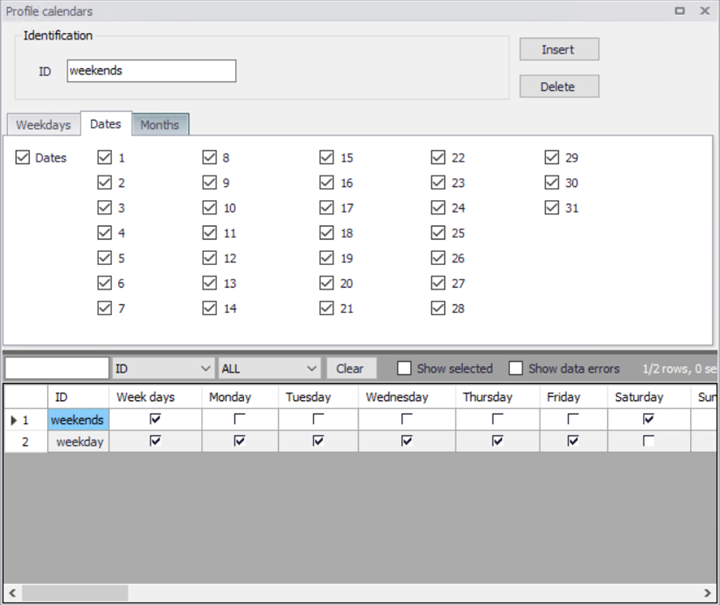
Figure: Profile calendars dates
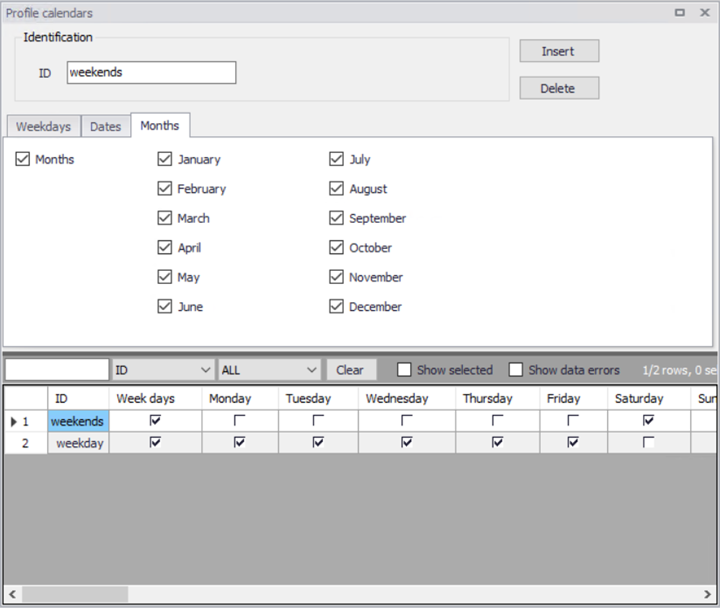
Figure: Profile calendar months
Special days
The ‘Special days’ is used for the specification of individual days that should be considered differently than it is given by the profiles calendar.
For example, the 1st January (the New Year day) falls on a different day each year. Typically, holiday days diurnal profiles are more representative of Weekends. The ‘special days’ function can be used to assign the 1st January with a weekend diurnal pattern.
The special days have two categories, ‘Unique date’ and ‘Every year’. An example of this is Easter day. The date of Easter varies each year, so the ‘Unique date’ would be more applicable.
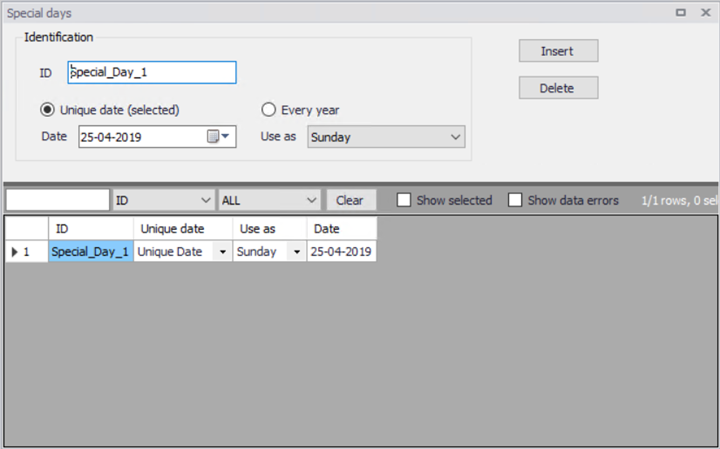
Figure: Special Days
The date calendar allows the user to select the desired date for a special day. The “Unique date (selected)” and “Every year” checkbox are used to specify the recurrence. Finally “Use as” allows the user to assign the variation pattern, weekday and weekend.