Introduction to Automated Catchment Tools
The Catchment Toolbox is a collection of tools that makes delineation of catchments for stormwater networks extremely easy and fast.
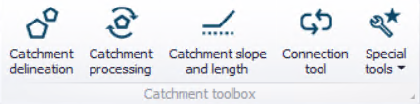
Figure: The Catchment Toolbox
The toolbox includes the following automated tools:

Catchment delineation helps you delineate catchment polygons in an automated and reproducible way. The catchments can be automatically created as Thiessen polygons derived from a layer of points or lines or as polygons derived from a digital elevation model (DEM).

Catchment processing is an automated and reproducible way to calculate imperviousness, time of concentration and other hydrological parameters for your hydrological models - traditionally a very time consuming task with big risk of making errors and inconsistencies. The hydrological parameters can be calculated for MIKE 1D rainfall-runoff Time-Area models.

The catchment slope and length tool is an automated way to calculate the slope and length of a catchment based on a DEM. These parameters are used for MIKE 1D rainfall-runoff Kinematic Wave models.

The (catchment) connection tool automatically connects all selected catchments to network elements based on a number of user specified principles, e.g. to the nearest manhole. For those places where you want the catchments to be connected differently, the connections can be moved using graphical editing tools.

Three additional tools are available under the 'Special tools' list. The 'Create elevation zones from DEM tool' is used to divide RDI catchments into a number of elevation zones to model snowmelt, based on an input DEM. The ‘Spatial processing‘ tool can perform GIS operations such as Merge and Join and export the result to a shapefile. The 'Snap Neighboring Catchments' tool is used to update the geometry of catchments on the map, to ensure that neighboring catchments are correctly snapped.