Model Type
The Model Type editor provides an at-a-glance view of which MIKE+ features and modules are active for a project. Active features and modules control the menus accessible from the Setup tree view.
MIKE+ supports modelling of the following system types:
- Rivers, collection system and overland flows
- SWMM5 collection system
- Water distribution
Features
The following features are activated for ‘SWMM5 collection system’ models:
- Catchment. Various hydrological processes that produce runoff from urban areas can be modelled by SWMM. These include:
- Time-varying rainfall
- Evaporation of standing surface water
- Snow accumulation and melting
- Rainfall interception in depression storage
- Infiltration of rainfall into upper soil layers
- Percolation of infiltrated water into groundwater layers
- Interflow between groundwater and the conveyance system
- Non-linear reservoir routing of overland flow
- Collection System Network. This feature allows for the hydrodynamic simulation of flows and water levels in the urban storm drainage and wastewater collection networks, thus providing an accurate information about the network functionality under a variety of boundary conditions. The model can be enhanced by the variety of real-time control functions.
- 2D overland. This feature allows for the 2D hydrodynamic simulation of flows on the surface, using DHI's engine. When 2D overland is enabled with Collection system network, couplings between the SWMM network and the 2D surface are enabled automatically, enabling simulation of surface flooding from surcharging pipe networks.
- Coupling to MIKE 21 or MIKE 3 Flow Model FM. When this is active, the desired MIKE 21 FM or MIKE 3 FM model setup file must be selected in the 2D / 3D overland model' page. Note that this coupling cannot be enabled at the same time as the 2D overland feature, since only one source of overland model can be used at a time.
When the different features are activated, the corresponding menus will be added in the Setup view. Note that the features are actually included in a simulation only if they are also included in the simulation definition, from the 'Simulation setup' editor.
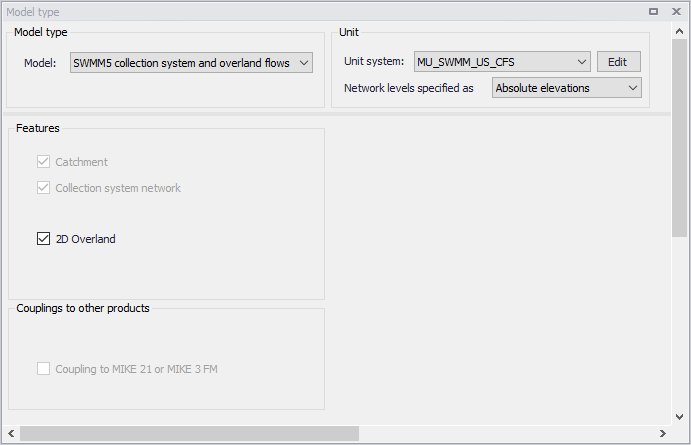
Figure: Editor for Model type, Unit, and Features selection
Network Levels Specification
One may specify how network level values shall be defined in the SWMM5 model via the Model Type editor under the Unit group.
For ‘Network levels specified as’, choose between the options:
- Absolute elevations
- Relative depths
This especially affects how level data are defined for Nodes and Conduits.
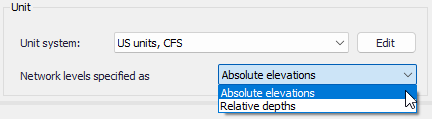
Figure: Options for definition of network levels