Demand Zones
A list of the Demand zones editor's attributes follows with a short description given for each one. Demand zones allow you to define entries used by the program for updating water demands (water consumptions). The purpose of demand zones is to automatically scale water demands of nodes within a particular demand zone based on the total zone demand. That is because SCADA data are not available for each and every node demand (water connection, water meter) but there are real-time data available for the whole network or for zones (distribution zones, district meter areas, etc.).
Insert
This button is used to insert a new row into the list.
Delete
This button is used to delete the selected row from the list.
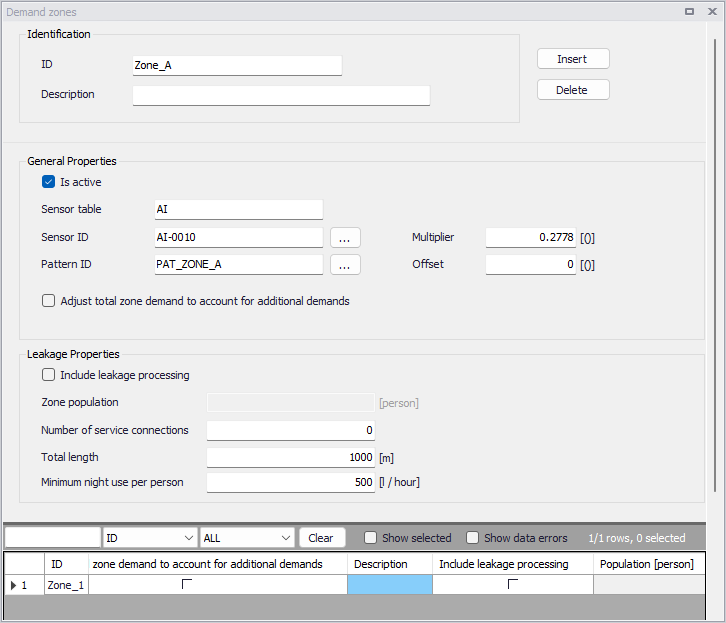
Figure: The Demand zones editor for the Online analysis
The editor's attributes are described below.
(Zone) ID
This is the name (identification) of the demand zone.
Description
User-defined description of the entry.
Is active
This check box allows the user to toggle the Active status of the demand on and off.
Sensor ID
This is the SCADA tag name in the table with SCADA data.
Sensor table
This is the name of the table containing SCADA data.
Pattern ID
This is the name of the pattern that will be used to scale demands within the zone. Using a pattern is optional. Note, that each zone must have its own pattern that is used for the demand scaling, i.e. if there are 5 zones, there must be 5 different patterns, one for each zone.
Multiplier
This entry is the multiplier "k" that will be used to multiply the SCADA value before using it in the model update. The model value = scada value * k + n.
Offset
This entry is the offset "n" that will be added to the SCADA value before using it in the model update. The model value = scada value * k + n.
Adjust total zone demand to account for additional demands
This option is used when the zone contains multiple demand types / patterns, and when the SCADA data only contains overall information about the entire zone. For example, if there are different demands/patterns within the zone residential and commercial, and for leakage, and if the SCADA sensor is used only for the residential and commercial pattern, then the model flow will be higher than measured because the model will have additional demands for leakage. When "Adjust total zone demand to account for additional demands" is selected, MIKE+ will make sure that the "demands/patterns" will be adjusted so that the SCADA zone demand matches this particular "demands/patterns" plus all other "demands" that are not separately measured.
Include leakage processing
This check box activates automatic processing of selected performance indicators as part of the WD Online analysis. The performance indicators include minimum night flow, current real losses (CARL), unavoidable real losses (UARL), and infrastructure leakage index (ILI).
Zone population
This is the population within the demand zone.
Number of service connections
This is the number of service connections (service pipes) within the zone.
Total length of service connections
This is the total length of service connections (service pipes) within the zone.
Minimum night use per person
This is the minimum night use of water per person within the demand zone.
Example
This configuration will define a zone "Zone-A" with a pattern "PAT-ZoneAA" that will read the SCADA (total) flow from a SCADA tag "AI-0010", table "AI", and use it for scaling node demands within the same zone. Zone demand in m3/hour is converted into l/s.
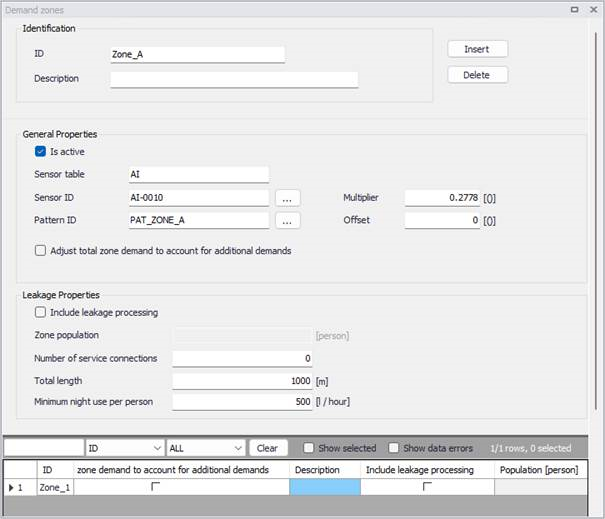
Figure: Example - Demand zones
Additionally, one can activate the automatic processing of the leakage data as part of the online analysis, by activating the 'Include leakage processing' check box.
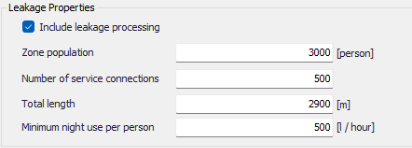
With these settings, the WD Online engine will automatically process the following performance indicators for each zone where the 'Include leakage processing' check box is activated:
- Minimum night flow (l/s)
- CARL: current real losses (m^3/km.day)
- UARL: unavoidable real losses (m^3/km.day)
- ILI: infrastructure leakage index (-).