River Network
MIKE+ offers tools targeted for editing river networks through the ‘River network’ menu.

Undo/Redo

Offers Undo or Redo options during data editing.
Edit Features
The Edit Features Toolbox contains tools that are used for interactively laying out the model network on the Map. The list of tools within the toolbox are listed below.

Create
This tool is used graphically add a component by selecting the target layer and clicking within the Map view. Double click to end the feature creation.

Edit
For editing features i.e. refining river line features, moving a structure along the river or reshaping polygons. Right click outside the feature being edited to end the editing.

Delete
Deletes the selected features.

Split
This tool is used to graphically split rivers on the Map.

Merge
This tool is used to merge rivers on the Map.

Connect station
This tool is used to connect a measurement station to the river network on the Map.

Open layer editor
Offers quick access to the Editor of the model feature selected from the Map. The editor is opened as a new tab document on the main window.
Selection
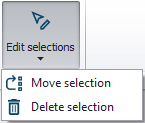
The 'Edit selections' list contains tools for editing/manipulating selected elements:
- Move selection
- Delete selection
Rivers Toolbox
This toolbox includes specific tools for river networks models, which are used to manage rivers, cross sections and storages.
See chapters River Tools and Tools and Plugins for details.
Structures

Recalculate Flow Conditions
This tool is used for recalculating the Q/h relations of weirs and culverts when changes are made to the structures and/or to the up/downstream cross-sections.