Pollutants
The generation, inflow, and fate of any number of user-specified pollutants can be modelled with SWMM models in MIKE+.
Define pollutants via the SWMM Pollutants editor. The editor organizes pollutant data into the following groups:
- Identification: General identification information.
- General: Tab holding pollutant concentrations and characteristics.
- Description: Tab for optional pollutant item description.
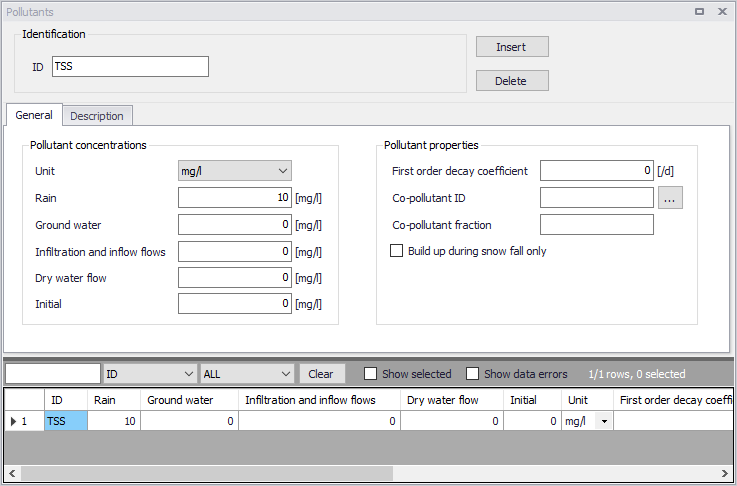
Figure: The SWMM Pollutants editor
Identification
The Identification group holds pollutant item ID information. Use the Insert or Delete buttons to add or remove records from the editor, respectively.

Figure: The Pollutants editor Identification group
| Edit field | Description | Used or required by simulations | Field name in datastructure |
|---|---|---|---|
| ID | Unique ID for pollutant component | Yes | MUID |
| Description | Optional description for the pollutant item | No | Description |
Table: Edit fields in the Pollutants Identification group and Description tab (mss_Pollutant)
Optional descriptive information about the pollutant item may be added via the Description tab page. The page also offers an option for adding images related to the item.
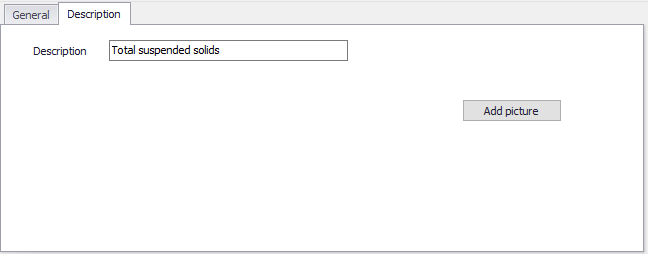
Figure: The Pollutants editor Description tab
General
Define pollutant properties on the General tab page of the Pollutants editor.
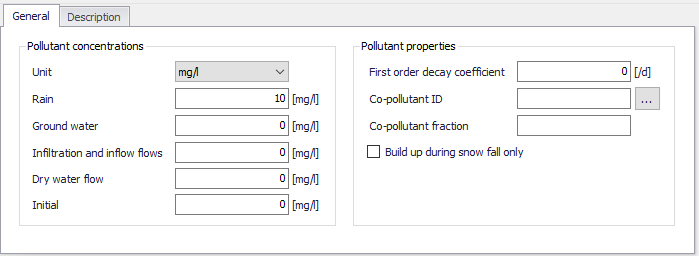
Figure: The Pollutants editor General tab
Pollutants may be expressed in: milligrams/liter, micrograms/liter, or counts/liter
Co-pollutants can also be modelled, which are pollutants whose runoff concentrations contribute to the runoff concentrations of the active pollutant. For example, pollutant X can have a co-pollutant Y, meaning that the runoff concentration of X will have some fixed fraction of the runoff concentration of Y added to it.
The pollutant buildup and washoff on catchment areas are determined by the Land Uses assigned to those areas.
| Edit field | Description | Used or required by simulations | Field name in datastructure |
|---|---|---|---|
| Units | Dropdown menu for selecting units for pollutant item: mg/L mg/L #/L | Yes | TypeNo |
| Rain | Concentration of the pollutant in rain water | Yes | Crain |
| Groundwater | Concentration of the pollutant in groundwater | Yes | Cgw |
| Infiltration and Inflow Flows | Concentration of the pollutant in any infiltration or inflow | Yes | Cii |
| Dry Weather Flow | Concentration of the pollutant in DWF | Yes | Cdwf |
| Initial | Concentration of the pollutant throughout the network at the start of the simulation | Yes | Cinit |
| First Order Decay Coefficient | First order decay coefficient of the pollutant | Yes | Kdecay |
| Co-pollutant ID | ID of the co-pollutant whose runoff concentration contributes to the concentration of the current pollutant | Yes | CoPollut |
| Co-pollutant fraction | Fraction of co-pollutant’s runoff concentration that contributes to the runoff concentration of the current pollutant | Yes | CoFract |
| Buildup during snowfall only | Option to allow buildup only when there is snow cover | Yes | SnowFlag |
Table: Edit fields in the Pollutants General tab (mss_Pollutant)