Direct discharges
A direct discharge structure is a structure which is not represented by its geometry, but instead directly by the discharge flowing through it. This type of structure may for example be used when a regulation is to be applied directly to the discharge, and not to e.g. a gate level.
The Direct discharges editor contains some attributes of the structures, while the control rules regulating it are defined in the Control rules editor.
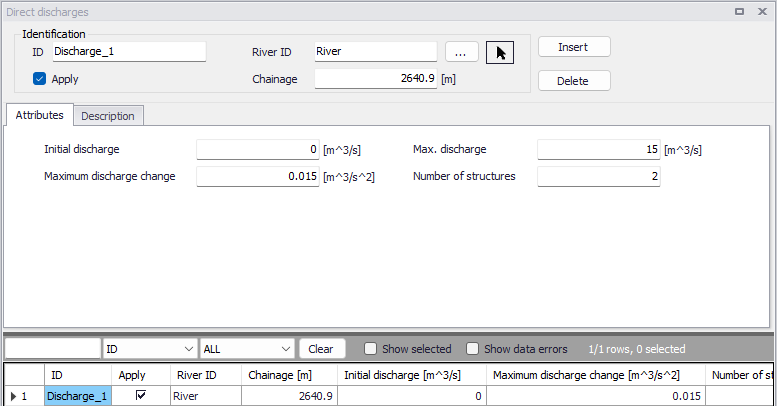
Figure: The Direct discharges editor accessed via the River Network setup group
Identification
The Identification group holds basic information on direct discharge structures.
ID
Unique string identification for the structure.
River ID
The ID of the river branch where the direct discharge structure is located. The River ID is automatically registered if the structure is created via the Map. Use the button with an arrow, to select the location of the structure on the map: this will specify both the River ID and the Chainage of the structure.
Chainage
Chainage at which the direct discharge structure is located.
Apply
This check box allows the user to toggle the Active status of the structure on and off. The simulations will omit all direct discharge structures that are not active.
Attributes
The general settings of the direct discharge structures are defined on the Attributes tab of the direct discharges editor.
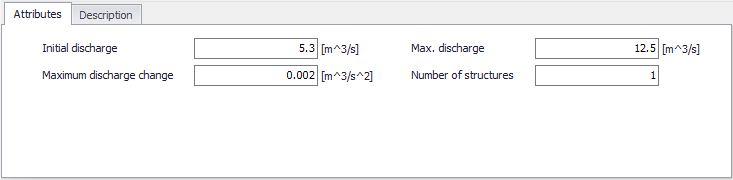
Figure: Attributes tab on the Direct discharges editor
Initial discharge
The value specified will be used as initial discharge at the beginning of the simulation.
Max. discharge
This value is the maximum discharge through the structure. It is an absolute value acting both for positive and negative (reversed) flow directions.
Max. discharge change
This variable defines the maximum allowable change in discharge per time. This variable may be used to avoid very rapid changes of discharge. Such rapid changes may happen with some control rules whereas they wouldn't be realistic and could create instabilities in the computation.
Number of structures
Number of identical parallel discharge structures. When multiple structures are included, the control rules define the discharge through a single structure. This discharge is then multiplied by the number of structures.
Description
Use the Description tab to add free text descriptions for direct discharge structures. It offers options for providing model management information, as well as attributes for quick model data query.
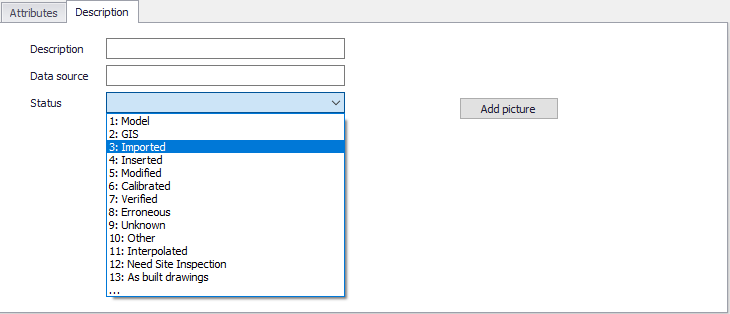
Figure: The Description tab on the Direct discharges editor
- Description: Free text description for the direct discharge structure.
- Data source: Free text describing data source for direct discharge structure data.
- Status: Project-defined status information that may be used for model build management or e.g. model data query. Pre-defined codes are contained in the Status Code editor which may be accessed via the ellipsis button from the Status dropdown menu.
- Add picture: Option for adding images associated with the direct discharge structure.